
Download the 1xPlay App for Casino Games and Live Sports
The 1xPlay App gives users access to casino games, live sports, cricket IDs, and mobile gaming features from one easy-to-use platform.
Clean interface, fast loads, and a layout that just makes sense. Whether you're on the bus or watching the match from your couch, you're two taps away from the action.
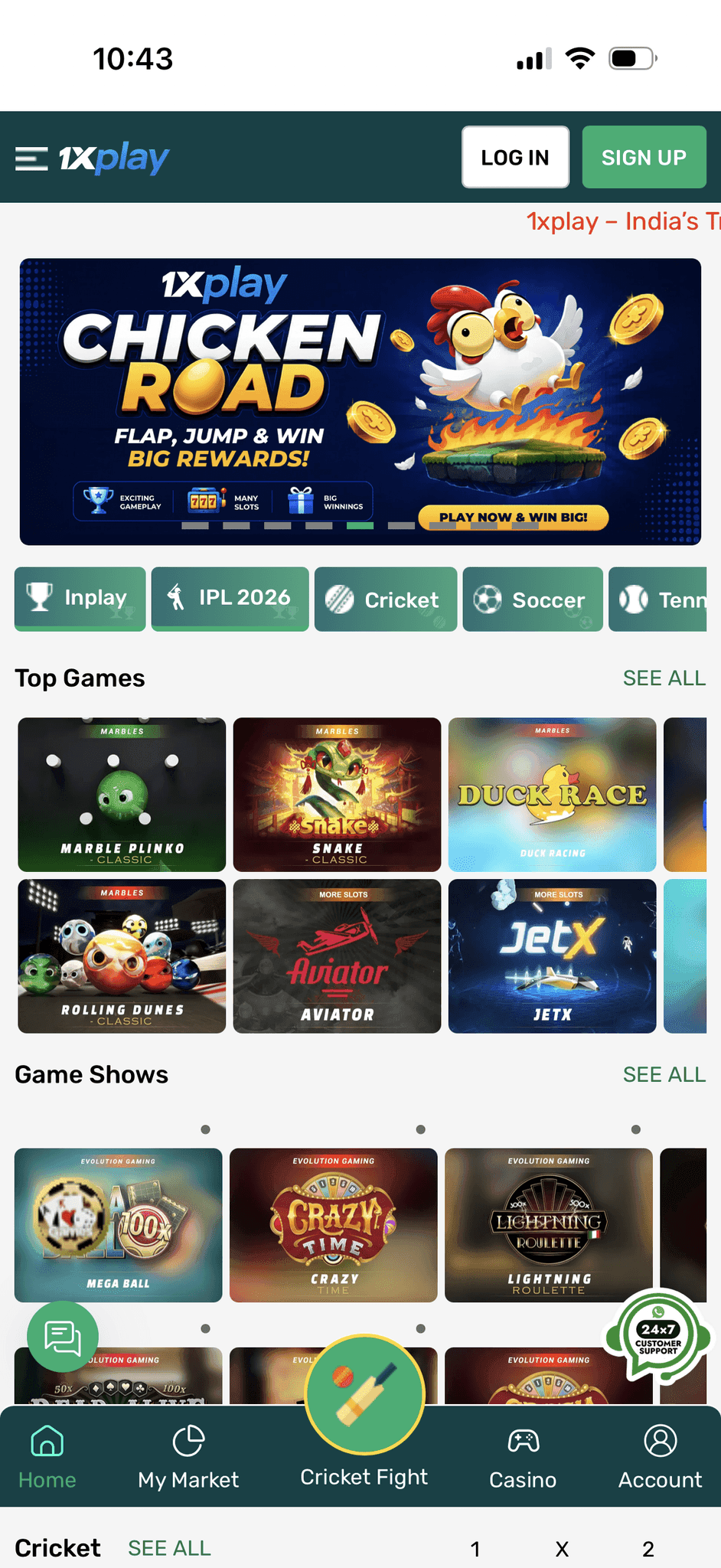
Built for real
mobile players
Fast loads, clean navigation, and a layout that doesn't get in the way. Access everything from one place — no desktop required.
Interface that actually makes sense
No cluttered menus or buried features. The home screen gets you to your wallet, live matches, or casino in under two taps. Built for people who'd rather play than navigate.
2M+Loads fast, stays fast
Lightweight architecture means no lag when odds are shifting in real time.
Works on any Android or iPhone
Tested across hundreds of device types. No model exclusions.
Play anywhere
Commuting, traveling, or watching from your couch — your account follows you.
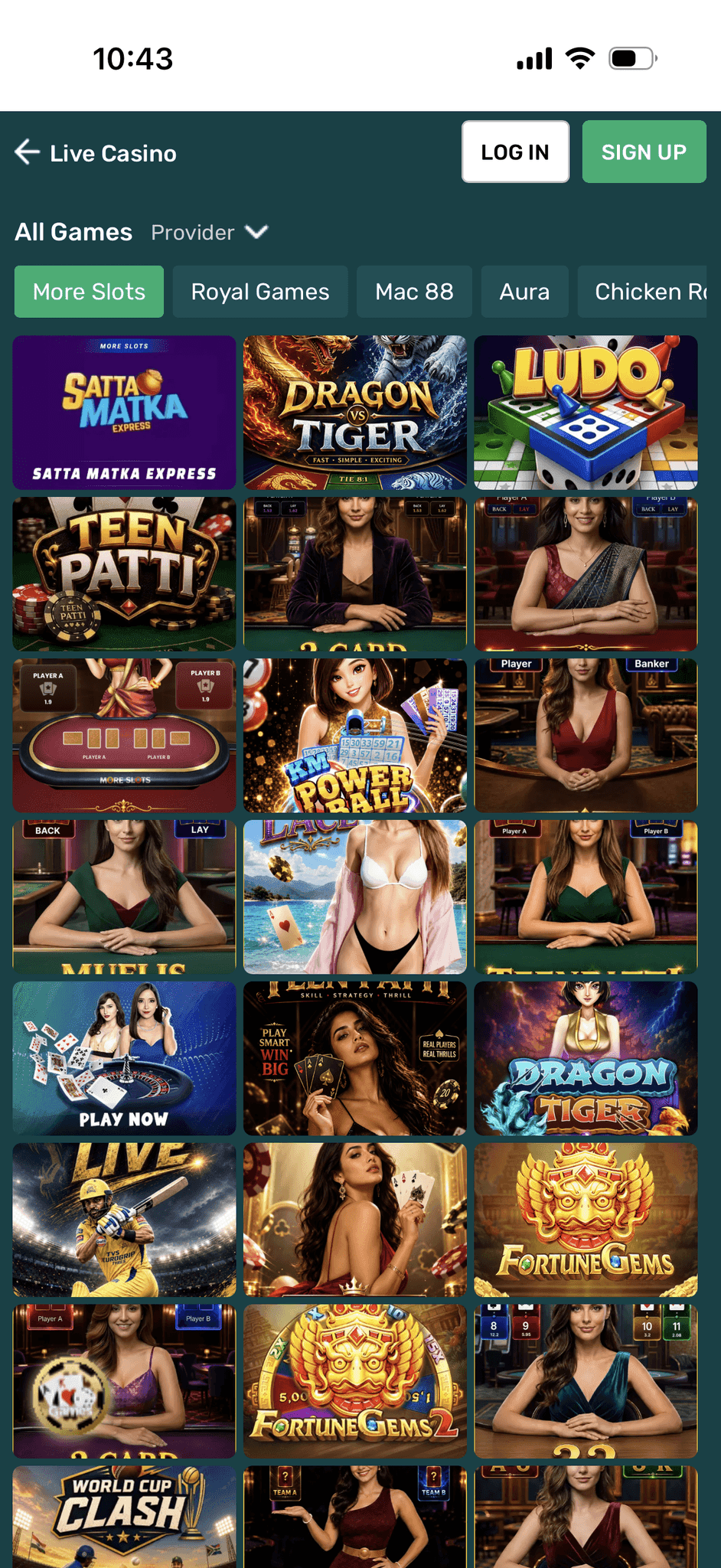
All your favourite
casino games
Slots, live tables, crash games — all optimized for touchscreen. No compromises on graphics or control responsiveness when you're playing on mobile.
Browse categories, launch a game, and pick up mid-session without losing progress. The interface stays out of the way so the game can do its thing.
Bet on cricket
the right way
Live match data, shifting odds, and a cricket ID system that takes seconds to set up. Everything cricket fans need, in one place.
Why Players Prefer the 1xPlay App
A secure, reliable layout built for how people actually play on the go, on their phone, in the moment.
Get the app installed
in under two minutes
Follow these steps to set up 1xPlay on your smartphone.
Android
- 1Tap Download APK to save the setup file to your phone.
- 2Go to Settings and enable Install from unknown sources.
- 3Open the downloaded APK file and tap Install.
- 4Launch the app and sign in to start playing.
iOS
- 1Open the 1xPlay portal in Safari on your iPhone.
- 2Tap the Share button at the bottom of the browser toolbar.
- 3Select Add to Home Screen from the menu.
- 4Open the shortcut like any app, log in, and you're in.
The 1xPlay App is a mobile gaming platform that provides access to online cricket ID services, IPL betting, sports betting, and casino games through Android and iOS devices.
You can download the 1xPlay App by clicking the Download APK button for Android devices or by adding the app to your home screen on iPhone using Safari.
Yes, the 1xPlay App is optimized for both Android smartphones and iPhones, offering a smooth gaming experience across devices.
Yes, users can access and manage their Online Cricket ID directly through the 1xPlay App for live cricket betting and sports markets.
The app offers casino games, live casino tables, Teen Patti, Andar Bahar, Poker, Blackjack, Aviator, Slots, and multiple sports betting options.
Yes, the platform uses secure systems, encrypted transactions, and account protection features to help provide a secure gaming experience.
Yes, the app allows users to access live cricket betting markets, IPL betting, and real-time sports odds directly from their mobile devices.
Yes, users can access fast deposit and withdrawal options through supported payment methods available on the platform.
No, the 1xPlay App is fully mobile-optimized, allowing users to enjoy casino games, sports betting, and cricket ID services directly from their smartphones.
The 1xPlay App offers fast performance, Online Cricket ID access, live sports betting, casino games, mobile-friendly navigation, secure transactions, and 24/7 platform accessibility in one place.
Start Playing with the 1xPlay Mobile App
Download the 1xPlay App to get a smooth, secure gaming environment wherever you are. Cricket IDs, slots, live betting, instant withdrawals all in one place.